Book jobs when you’re already nearby.
Onround gives your mobile business its own booking page that suggests the times that fit around your other jobs — so you drive less, fill the gaps, and fit more work into every day.
Create your booking page — free to startNo credit card needed. · or book a 15-min walkthrough
See how it works ↓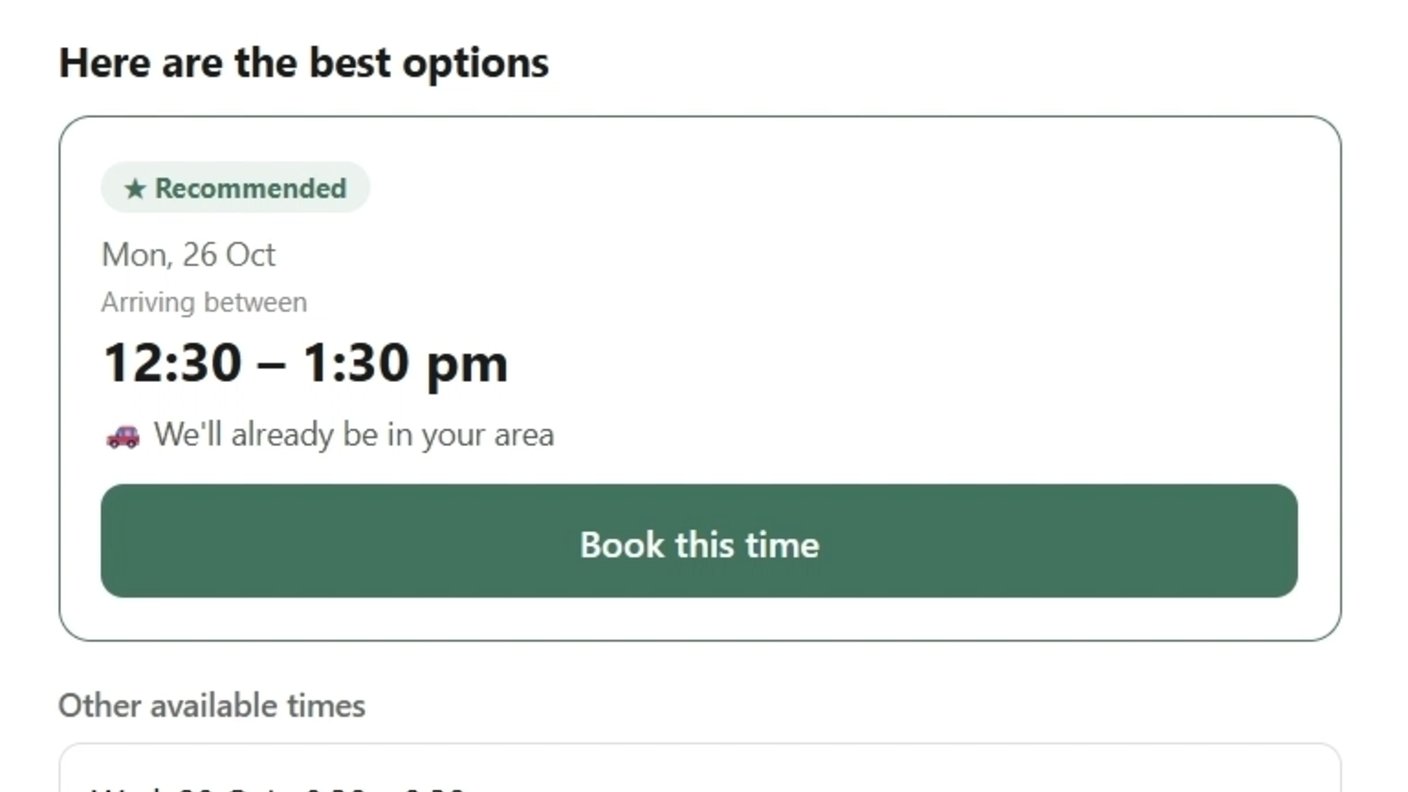
See how Onround books customers into tight routes.
How it works
More than online bookings. Smarter scheduling for mobile businesses.
- 1
Set up your booking page.
Add your services, prices, working hours and the areas you cover — in minutes. We provide starter services tailored to your business type.
- 2
Share your link.
Add it to your Instagram bio, Google Business Profile, Facebook page or send it by text. Customers book directly from their phone — no app needed.
- 3
Onround finds smarter booking times.
Onround checks your existing jobs and recommends available times that fit your route. It prioritises nearby bookings, so you spend less time driving and more time working.
Without route-aware booking
With Onround
- 4
See your whole day as a route.
Jobs in order, with driving time between each stop and one-tap navigation. See your day at a glance — less time planning, more time working.
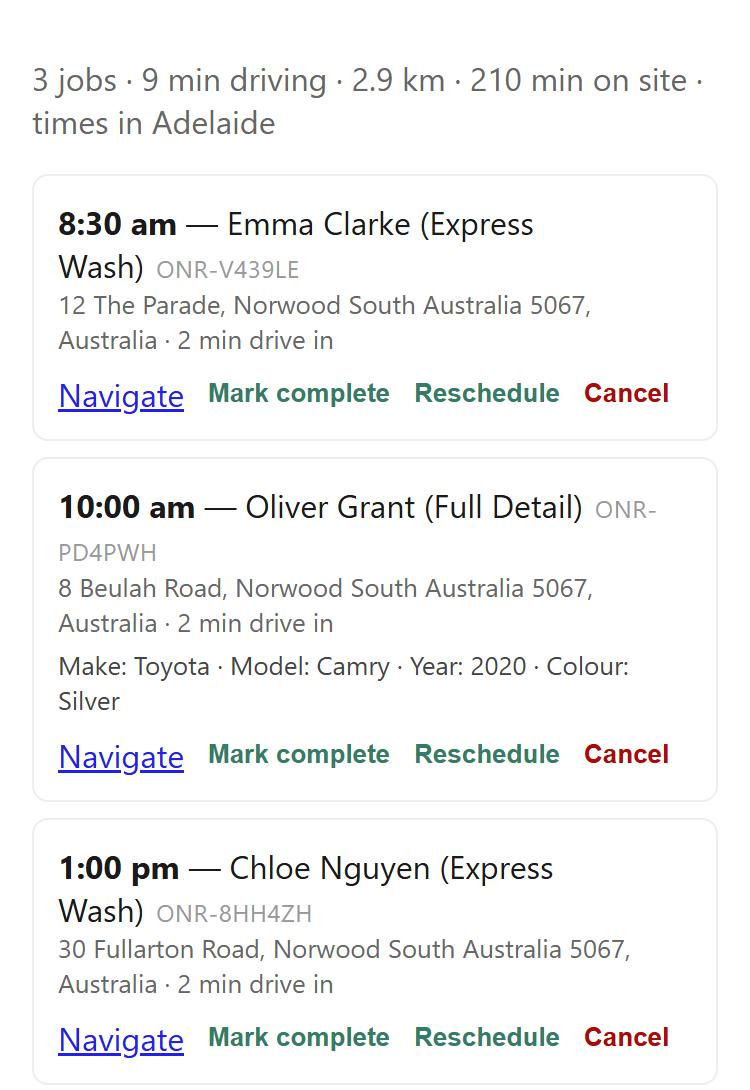
A day in Onround — jobs in order, with the drive between each.
What you get
Less driving, more jobs.
Fill the gaps in your day with nearby work instead of crossing town for one appointment.
Quote from photos.
For bigger jobs, customers send photos; you reply with a price; they book. Booking and quoting in one.
Fewer phone calls.
Customers book, reschedule and cancel themselves — you’re only notified when it matters.
It looks like yours.
Your logo, your colours, your booking page. “Powered by Onround” quietly in the corner.
For every mobile business
If you travel to your customers, Onround plans your day around your route:
- Car detailers
- Pet groomers
- Cleaners
- Nails & beauty
- Mobile mechanics
- Lawn & garden
— and any mobile service.
Free to start. Use it free while you get going.
Create your booking page →Questions
How does Onround choose which times to offer?
Onround recommends the soonest time that adds 12 minutes or less of driving to your day — you’ll already be nearby. If there isn’t one, it shows the earliest available time instead.
Do I need a website?
No. You get your own booking link to share in your Instagram bio, Google Business Profile, Facebook or a text message.
Can customers change or cancel their booking?
Yes, using the link in their confirmation email — you’re notified when they do.
Can customers ask for a quote?
Yes. For bigger jobs they send photos, you reply with a price, and they book.
Does it work on my phone?
Yes. Onround is designed for phones — for you and for your customers.
How much does it cost?
It’s free while you get started — no credit card needed. When paid plans arrive, early users get a founding-member rate, and we’ll let you know well before anything changes.
Can you set it up for me?
Yes. Book a free 15-minute walkthrough and we’ll set up your booking page together.
Ready to stop driving all over town?
Create your booking page in minutes — your customers can be booking today.
Create accountPrefer a hand? Book a free 15-minute walkthrough — we’ll set it up with you.